Meetings
Meeting transcription for Zoom, Teams, Meet and Webex
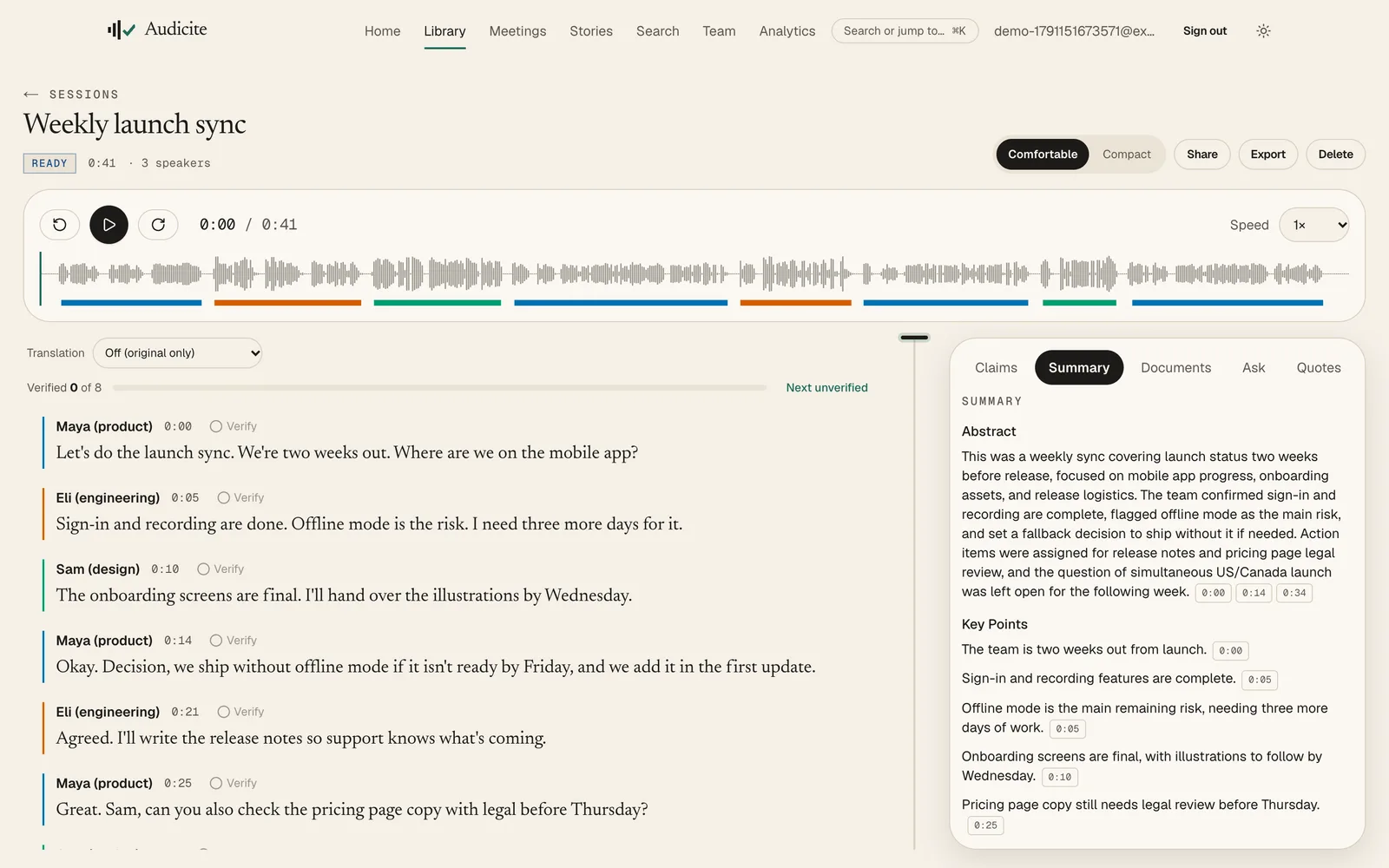
Audicite transcribes meetings by joining the call as a participant: paste a Zoom, Microsoft Teams, Google Meet or Webex link, or connect your calendar and it books itself into every call with a link. You can follow the transcript live during the call, and when it ends you get speakers, a summary with decisions and owners, and the recording.
Updated by Audicite
Who it is for
- Teams who meet on Zoom, Teams, Meet or Webex
- People invited to calls they do not host
- Anyone who wants decisions and actions without taking notes
What Audicite does
- Joins Zoom, Microsoft Teams, Google Meet, Webex calls as a participant
- Books itself from a connected calendar and follows moved or cancelled meetings
- Shows the transcript live during the call
- Records any other call (for example a Slack huddle) from the browser instead
Key facts
| Platforms | Zoom, Microsoft Teams, Google Meet, Webex |
|---|---|
| Who can send it | Anyone invited to the call, not only the host |
| Calendar | Google Calendar, Outlook and iCloud via the calendar’s private iCal address |
| During the call | Live transcript and claim checks |
| After the call | Speakers, summary with decisions and owners, recording |
| Price | Free trial (30 minutes, no card), then $14.99 per person a month |
How it works
- 01Send or schedule. Paste the meeting link, or connect your calendar once.
- 02Admit Audicite. The host admits the notetaker like any guest.
- 03Follow live. Open the live transcript during the call if you want it.
- 04Share the outcome. Decisions, owners and open questions, each linked to the moment.
Examples
A weekly sync
Booked from the calendar; the summary lists owners and deadlines.
A client call
Exact quotes for the follow-up email, with the recording.
Questions
Can Audicite join a meeting I am not hosting?
Yes. Anyone invited can send Audicite; the host admits it like any other participant.
Does it work with Microsoft Teams and Webex?
Yes. Audicite joins Zoom, Microsoft Teams, Google Meet, Webex calls.
Can I see the transcript during the meeting?
Yes. A live transcript is available while the call runs.