Video to text
Transcribe video to text
Audicite transcribes video by taking the sound from the file: upload an MP4, MOV, MKV, WebM or similar video and you get a transcript, speaker labels and timed captions. For a YouTube link, Audicite transcribes the same recording from where the speaker publishes it, such as their podcast feed; for your own video, download it from YouTube Studio and upload the file.
Updated by Audicite
Who it is for
- Video creators who need captions and descriptions
- Editors who need a searchable transcript and a rough cut
- Teams sharing recorded talks and webinars
What Audicite does
- Accepts MP4, MOV, M4V, MKV, WebM, AVI, WMV, MPEG, 3GP, TS
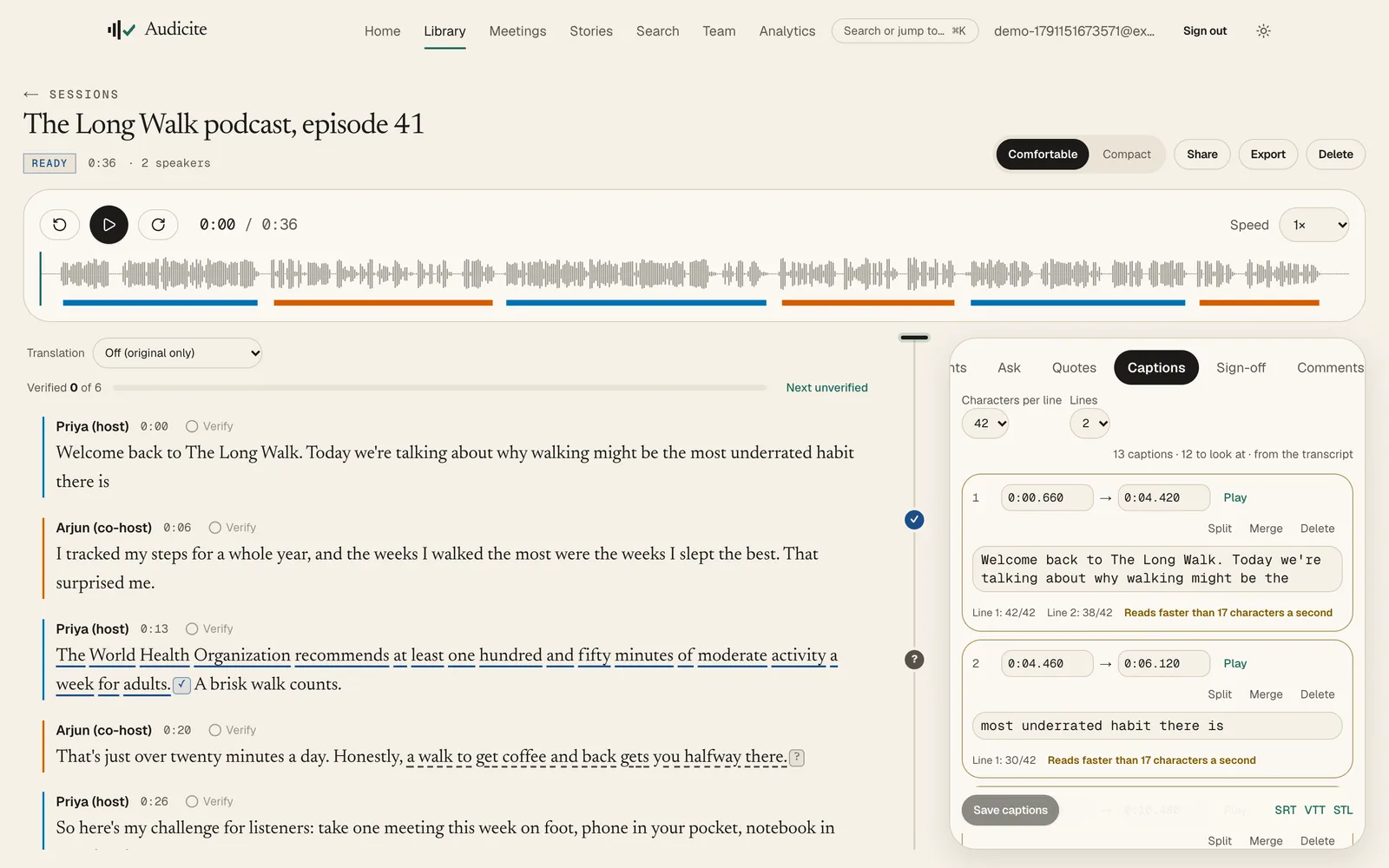
- Builds captions from word timings, with reading-speed checks you can fix in place
- Exports SRT, WebVTT and EBU STL captions, and an EDL for the edit
- Writes a description, chapters and social posts from the transcript
Key facts
| Video formats | MP4, MOV, M4V, MKV, WebM, AVI, WMV, MPEG, 3GP, TS |
|---|---|
| Limits | 4 hours or 2 GB per file |
| Captions | SRT, WebVTT and EBU STL, with a caption editor |
| YouTube | Links: the same recording from its podcast feed; your own videos: upload |
| Languages | 82 for transcription (59 live), with automatic detection; translation into 100 |
| Speaker labels | Yes, automatic; rename a speaker once and it changes everywhere |
| Price | Free trial (30 minutes, no card), then $14.99 per person a month |
How it works
- 01Add the video. Upload the file, or paste a link to a video file.
- 02Get the transcript. Speakers and timings appear; the original stays downloadable.
- 03Tidy the captions. Line length and reading speed are flagged; fix them in place.
- 04Publish. Export captions for your platform, plus the description and chapters.
Examples
Captions for a talk
An hour-long recorded talk to WebVTT captions and chapters.
A rough cut
Pick the best lines across interviews and export an EDL for the editor.
Questions
Can I turn a video into text?
Yes. Upload the video file and Audicite transcribes its sound into text with speakers and timestamps, and can export captions.
What is the difference between a transcript and subtitles?
A transcript is the full text of what was said, usually with speakers. Subtitles or captions are the same words split into short, timed lines shown over the video.
Can I transcribe a YouTube video?
Often, yes. Paste the link and Audicite finds the same recording where the speaker publishes it, such as their podcast feed. Nothing is taken from YouTube itself. For your own video, download it from YouTube Studio and upload the file.