Use cases
One tool for every conversation worth keeping.
Newsrooms check claims live. Sports desks pull verified quotes from the presser. Podcasters ship captions and show notes the same day. Teams leave meetings with the same decisions. Here is how each of them works in Audicite.
Newsrooms and fact-checkers
Check the claim while the speech is still going.
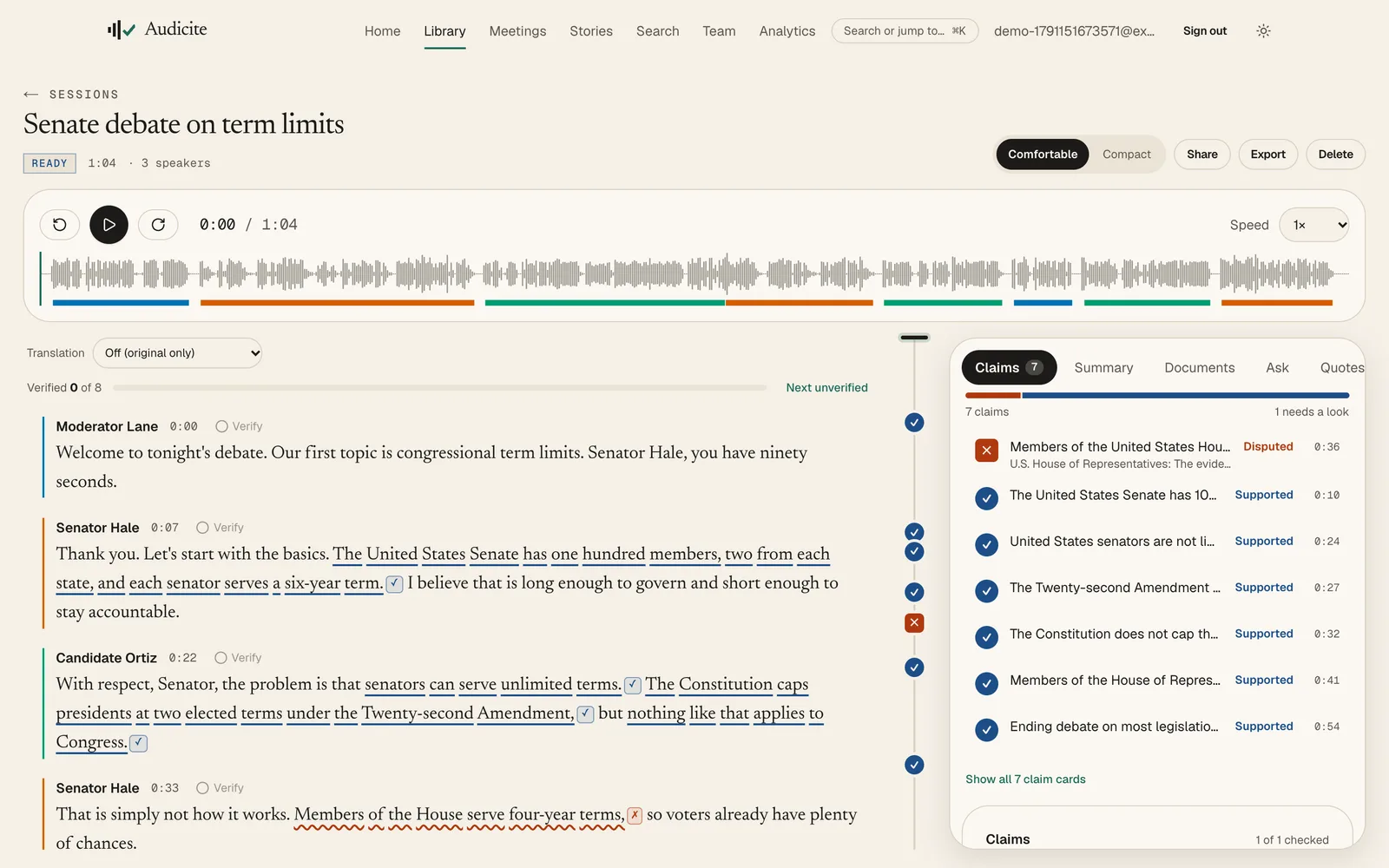
A debate produces dozens of checkable statements an hour. By the time a desk has verified them, the story has moved on.
- Record live or uploadStart live transcription from the browser, share a tab, send Audicite to a call, or upload the broadcast file.
- Claims are caught as they are spokenCheckable statements are underlined in the transcript and checked in the background against fact-check databases, your documents and the web.
- Every rating cites the sentenceA rating appears only with the exact source sentence, highlighted, in the live page and in an archived copy whose fingerprint is kept.
- Review, sign off, publishReviewers confirm or change ratings, editors sign off, and the fact-check goes out as a public page, an embed, Word or PDF with sources.
- Live claim detection
- Sentence-level citations
- Archived sources
- Reviewer workflow
- Editorial sign-off
- Embeds and share links
Debate night: claims rated with sources while the candidates are still on stage.
Sports media and broadcasters
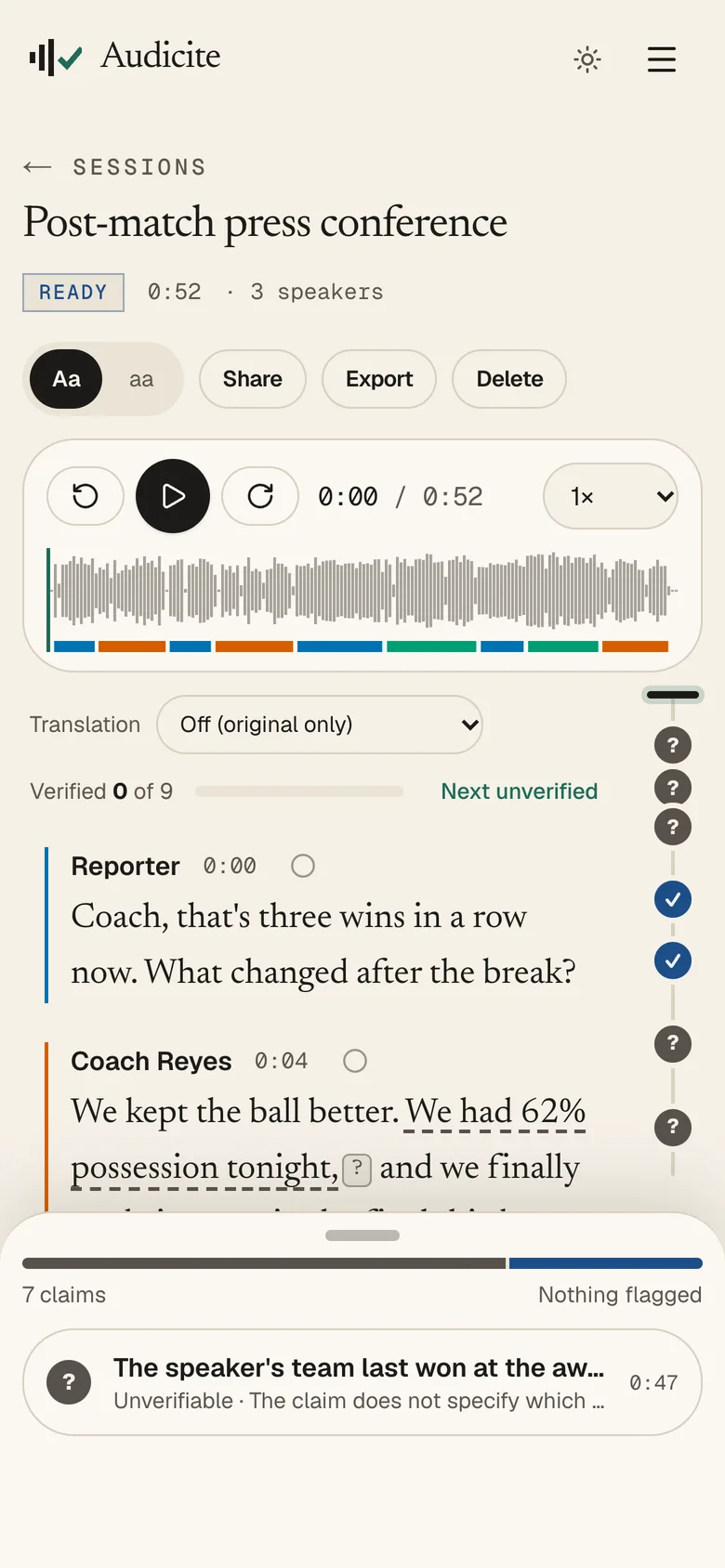
Every quote from the presser, timed and attributed, before the players leave the room.
Press conferences, mixed zones and post-match interviews come fast, overlap, and are full of numbers somebody will quote wrong.
- Capture the roomRecord on a phone or laptop, or transcribe the feed playing in a browser tab.
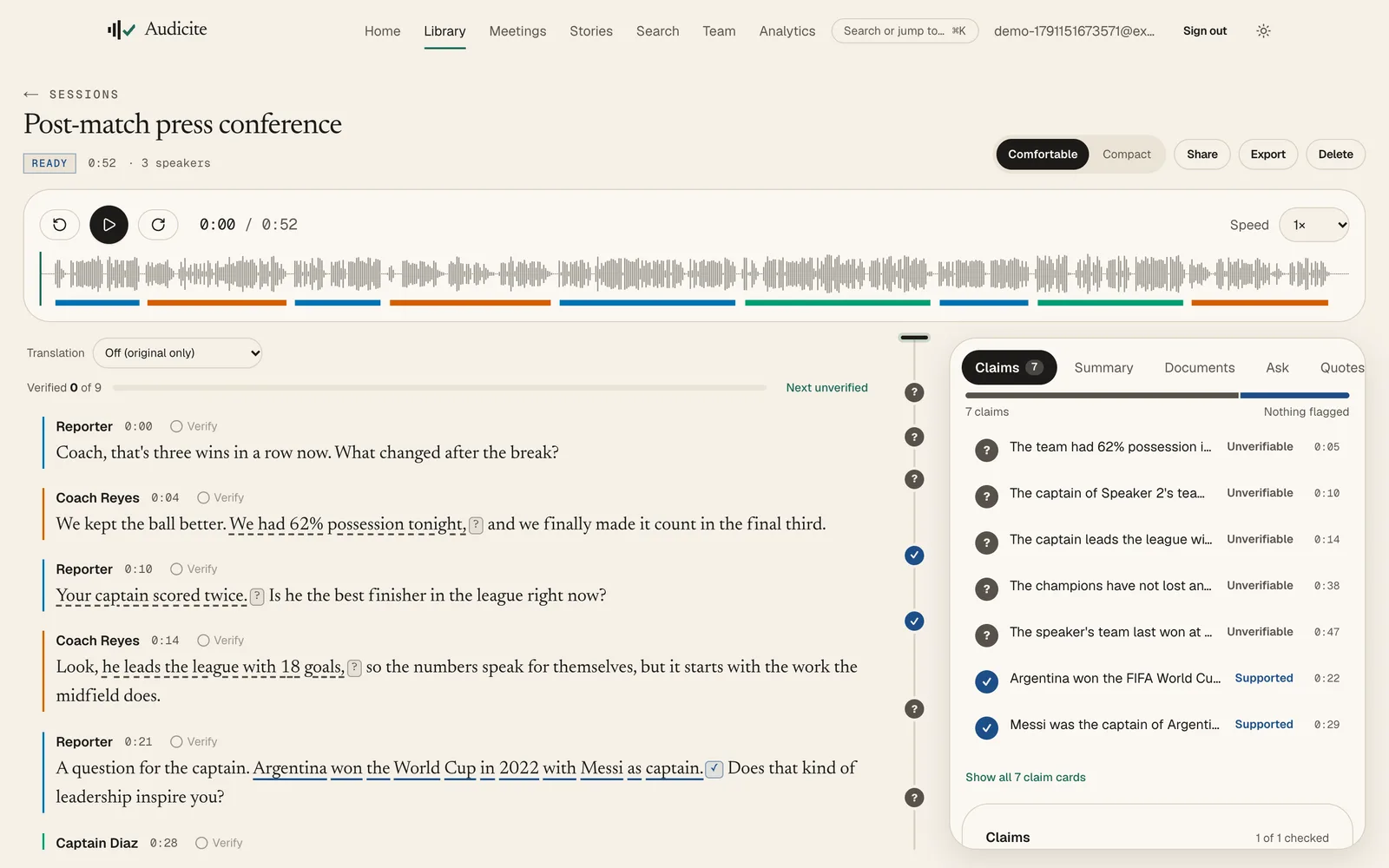
- Know who said whatSpeaker labels hold up in quick exchanges: rename “Speaker 2” to the coach once and it updates everywhere.
- Check the statsRecords, scores and history claims are checked with sources, so a wrong number never reaches the copy.
- Clip, caption, publishPull the best lines into a story, export an EDL for the edit, and burn-in-ready captions in SRT, WebVTT or EBU STL.
- Fast-crosstalk speaker labels
- Quotes worth using
- Stats fact-checks
- Stories and rough cuts
- Broadcast captions
- Podcast and media links
Quotes for the match report are verified against the audio before the coach has left.
Podcasters and creators
Publish the episode, the captions and the show notes in one sitting.
An hour of recording turns into an afternoon of transcripts, captions, descriptions and social posts.
- Upload the episodeAudio or video, up to four hours, in 82 languages. Or paste a link to the published episode or its feed.
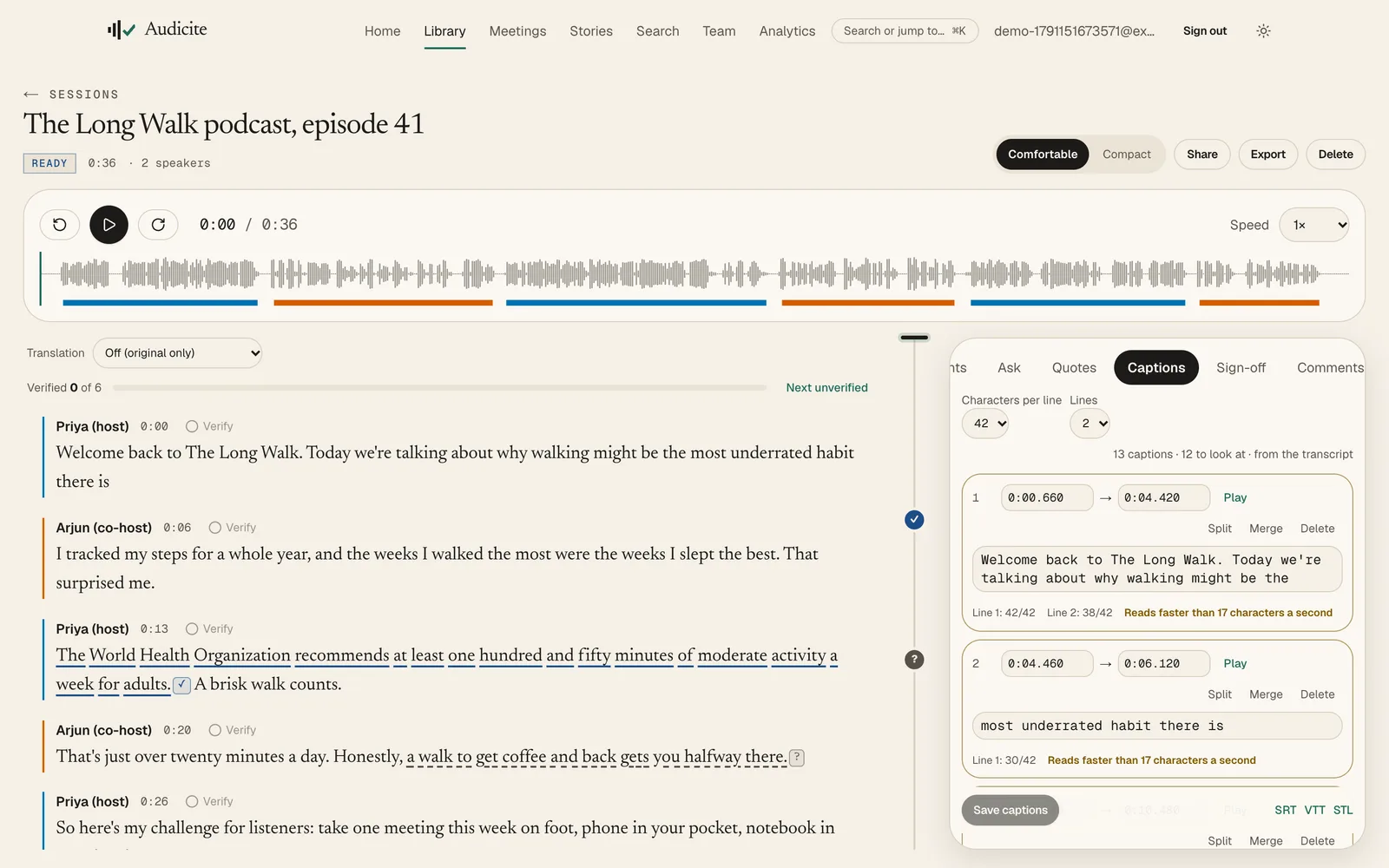
- Captions that pass reviewCues are built from word timings with line-length and reading-speed checks you can fix in place.
- Notes write themselvesGet a summary, chapters, show notes, an article draft, social posts and a newsletter, each line linked to its moment.
- Reach more peopleTranslate the transcript into 100 languages and export captions in every format the platforms ask for.
- Caption editor
- Show notes and chapters
- Social posts
- Translation
- Quotes worth using
- Fact-checks for claims
Episode, captions and show notes out the same day, with every claim checked.
Educators and students
Every lecture searchable, summarised and readable in your language.
Notes miss the important bit, recordings are hard to search, and not everyone in the room learns best in English.
- Record the classStart live transcription on a laptop or phone, or upload last week’s lecture capture.
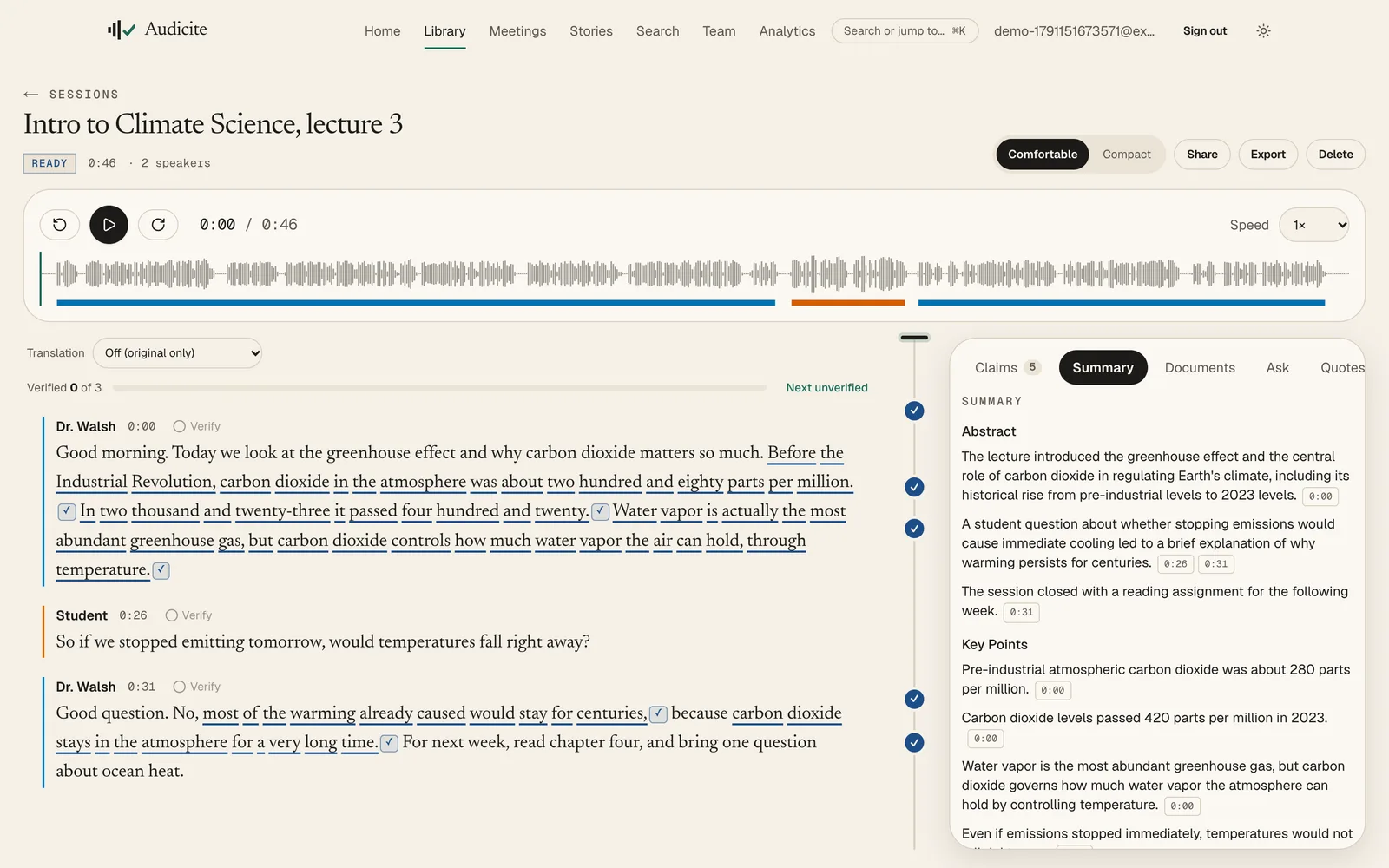
- Summaries and chaptersAn abstract, key points and open questions appear automatically, each linked to the moment in the lecture.
- Ask the lectureAsk “what did she say about water vapour?” and get the answer quoted from the recording.
- Accessible by defaultCaptions for the recording, and a translation in any of 100 languages under each paragraph.
- Automatic summary
- Ask the transcript
- Captions
- Translation
- Search
- Install on phone
Students revise from a searchable, summarised lecture instead of a two-hour video.
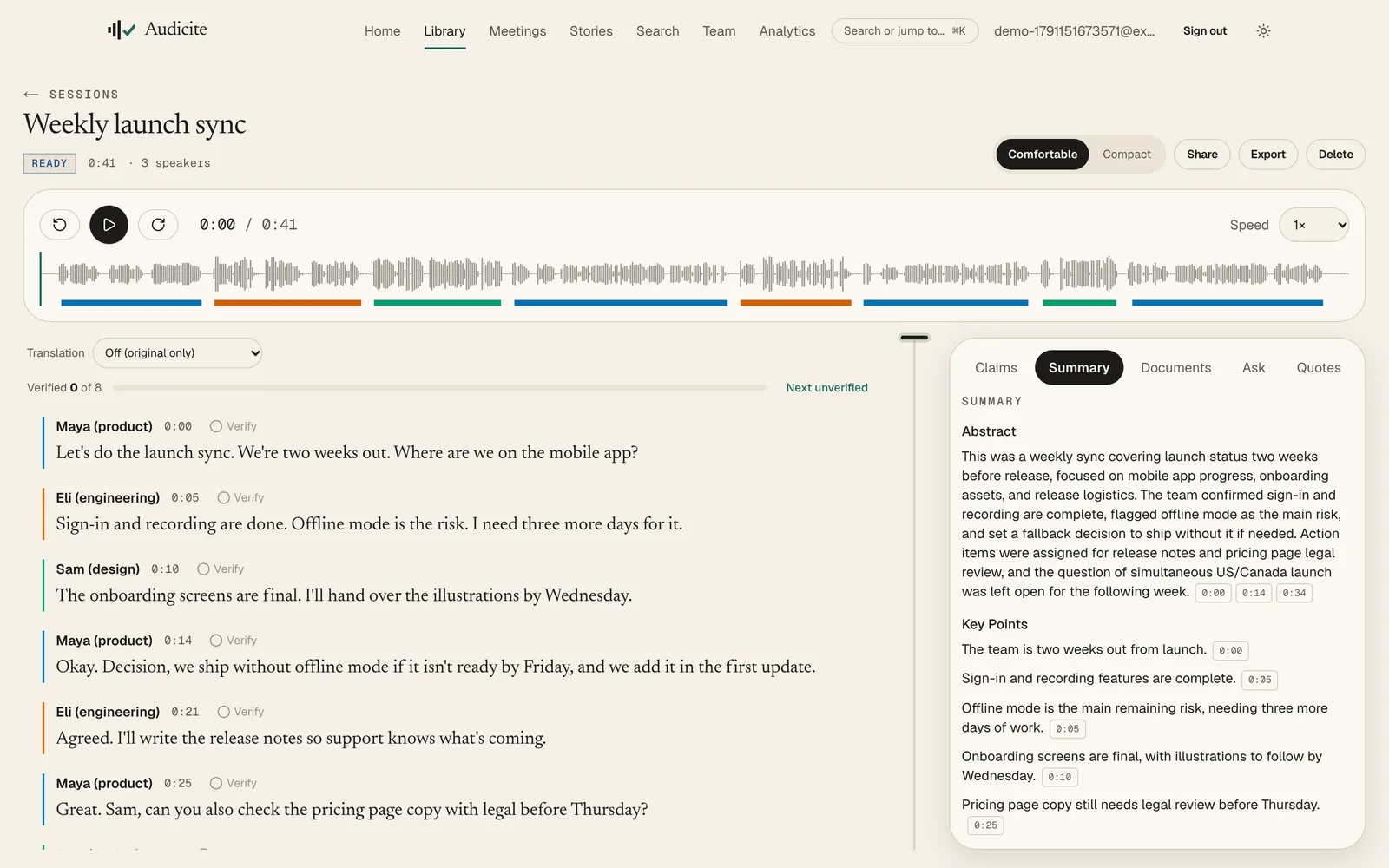
Business teams and meetings
Decisions, owners and open questions, without anyone taking notes.
Meetings end, and the decision lives in three people’s memories, all slightly different.
- Bring Audicite to the callConnect your calendar and it joins every Zoom, Teams, Google Meet or Webex call by itself, even when someone else is hosting. Follow the transcript live during the call, or record it from your browser.
- A summary that cites the momentDecisions, actions with owners and open questions, each linked to where it was said.
- Find anything laterSearch every meeting at once, or ask a question and get the answer with the quote.
- Share with the teamComments in the transcript, roles for who can edit, and webhooks or Slack alerts for the rest of your tools.
- Meeting assistant
- Joins from your calendar
- Live transcript in the call
- Decisions and actions
- Search and ask
- Comments
- Slack and webhooks
- Roles and SSO
Everyone leaves with the same decisions and the same list of owners.
Researchers and interviewers
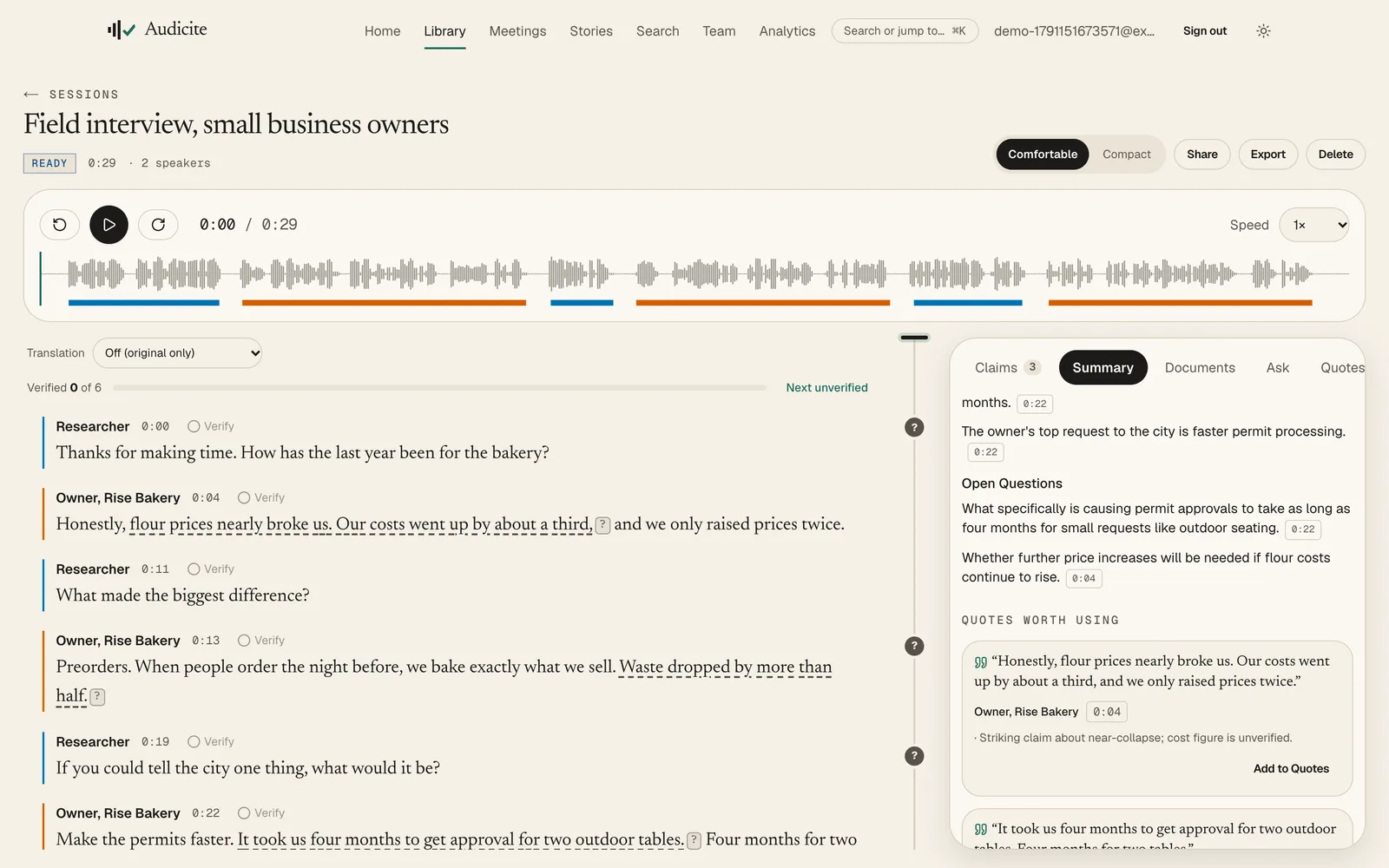
Find the exact quote across hundreds of interviews.
Qualitative research means hours of interviews and the one line you need is somewhere in hour six.
- Interview anywhereRecord in person on your phone or laptop, or upload recordings from any device.
- Quotes you can trustQuotes worth using are the participant’s exact words, checked word for word against the transcript; verify each against the audio.
- Organise the studyCollections and tags group interviews by study, and search runs across all of them.
- Protect participantsHide names, emails and numbers in exports, set how long recordings are kept, and download everything when the study ends.
- Verbatim quotes
- Collections and tags
- Search across studies
- Redaction
- Retention controls
- Data export
The quote for the report, with its timestamp and audio, in seconds instead of an afternoon.
Everyone else
Your phone becomes the best note-taker in the room.
Doctor’s appointments, landlord calls, interviews, voice notes: things you need to remember exactly.
- One tap to startInstall Audicite on your phone’s home screen and start transcribing in one tap.
- Nothing gets lostYour phone keeps its own copy while you record, and you can download the original audio any time.
- Read it back in secondsA summary and the key quotes, with every line linked to the moment it was said.
- Free to try30 minutes of audio and five fact-checks free. No card.
- Install on phone
- Device backup
- Summaries
- Original audio download
- Free trial
The exact words, when it matters, without taking a single note.
Try it on your own recording.
30 minutes of audio and five fact-checks, free. Verify your email once; after that, every start is one click.
Screens show Audicite on demo recordings: real transcripts, speaker labels, ratings and summaries, produced by the product.