Podcasts
Podcast transcription
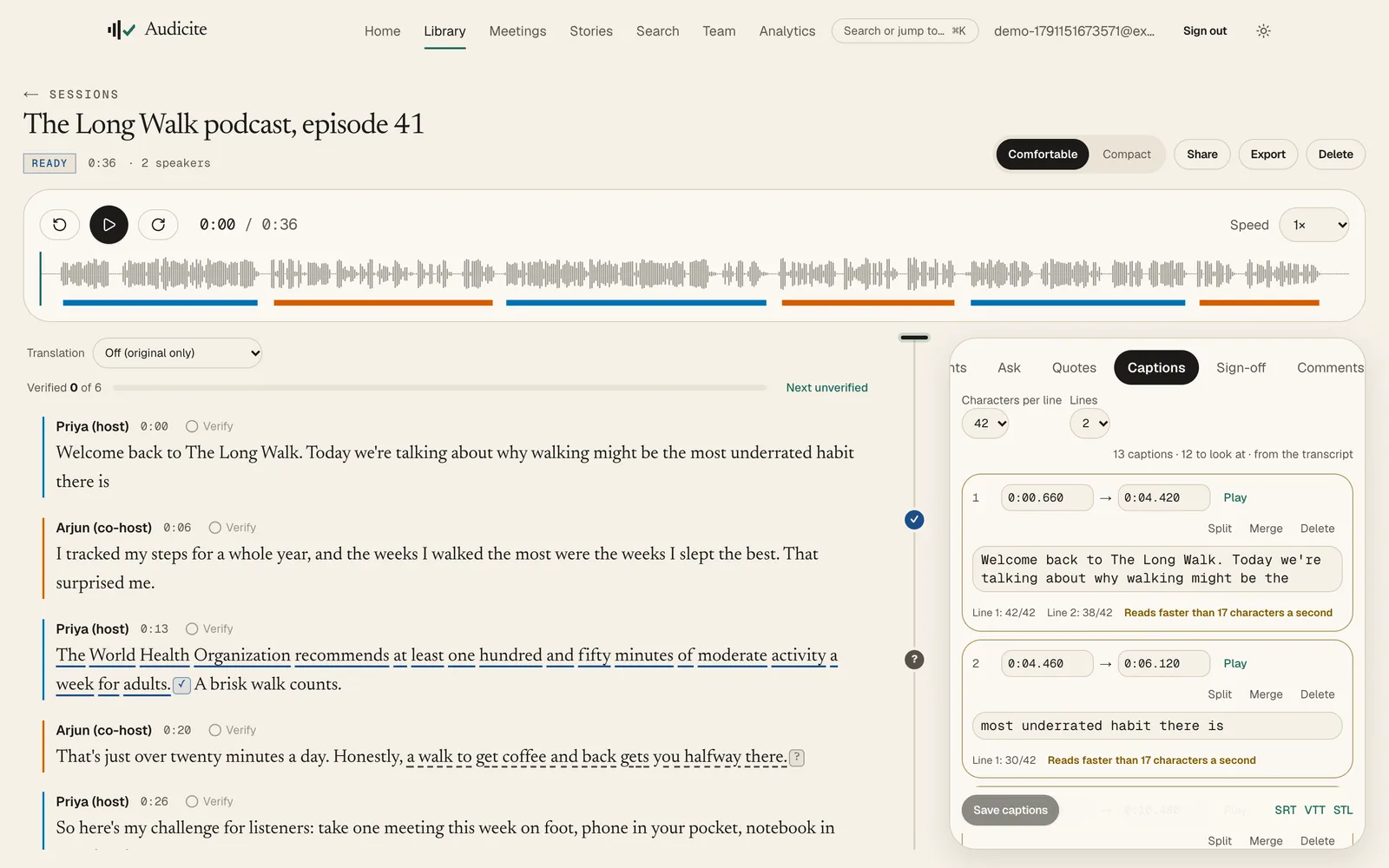
Audicite transcribes a podcast episode from the file or from its feed and labels the host and guests. As soon as the transcript exists it writes show notes, chapters, social posts, a newsletter and a description, and it exports captions for video versions.
Updated by Audicite
Who it is for
- Independent podcasters
- Production companies
- Video podcasters who need captions
What Audicite does
- Takes an audio or video file, or a link to the episode or its feed
- Writes show notes, chapters, an article draft, social posts and a newsletter
- Exports SRT, WebVTT and EBU STL captions
- Checks factual claims made on the show, with sources
Key facts
| Inputs | Audio or video file, episode link or podcast feed |
|---|---|
| Written automatically | Summary, quotes, chapters, show notes, article, social posts, newsletter, description |
| Captions | SRT, WebVTT, EBU STL |
| Languages | 82 for transcription (59 live), with automatic detection; translation into 100 |
| Price | Free trial (30 minutes, no card), then $14.99 per person a month |
How it works
- 01Add the episode. Upload it or paste the episode or feed link.
- 02Check the speakers. Name the host and guests once.
- 03Open the documents. Show notes, chapters and posts are already written, each line linked to its moment.
- 04Publish. Copy the notes, export the captions.
Examples
Weekly interview show
Episode, captions and show notes out the same day.
Questions
Can I transcribe a podcast from its RSS feed?
Yes. Paste the feed or episode link and Audicite fetches the episode and transcribes it.
Does it write show notes?
Yes. Show notes, chapters, social posts, a newsletter and a description are written as soon as the transcript exists.