Transcription
AI transcription for audio, video, live speech and meetings
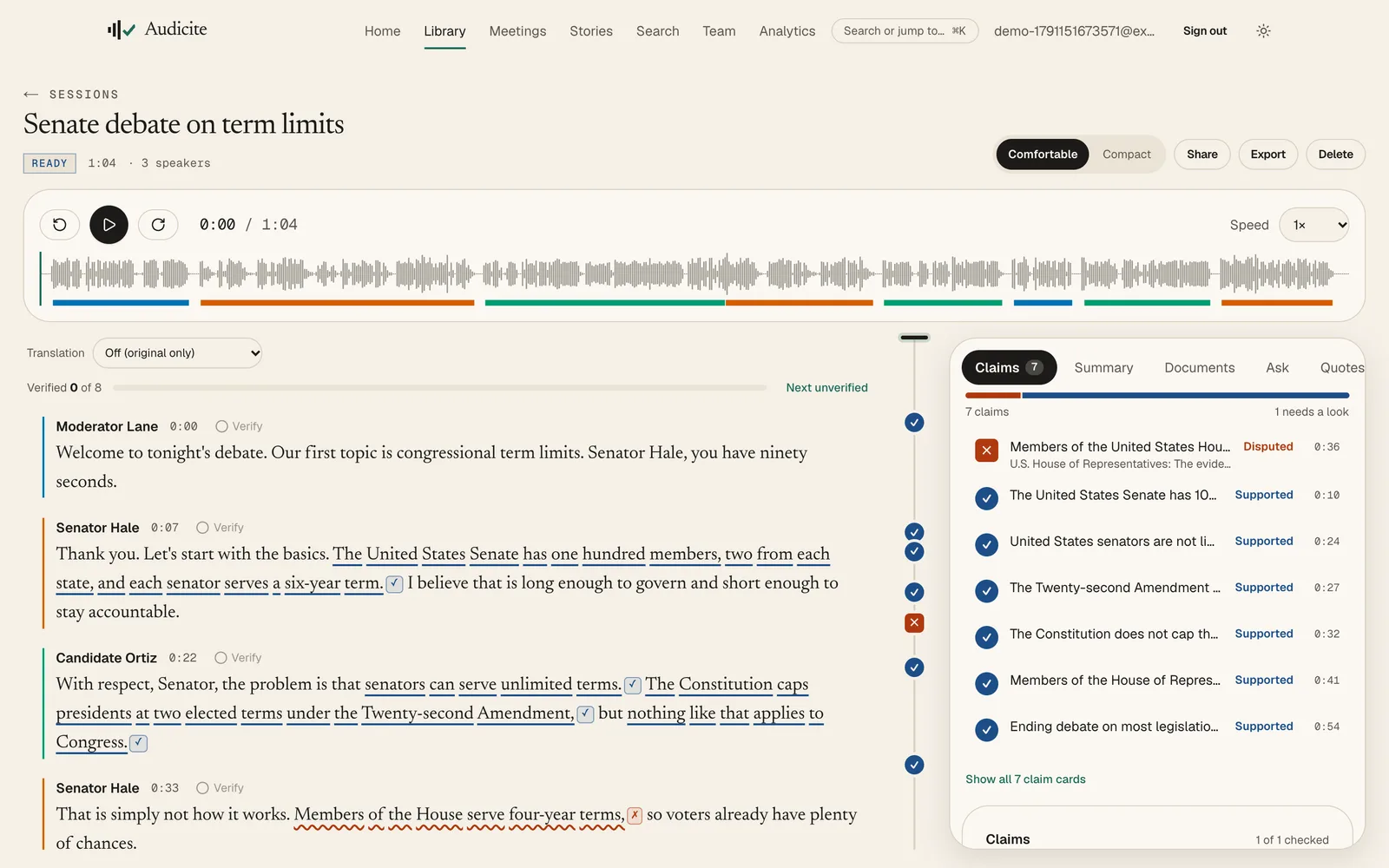
Audicite is AI transcription software. It turns live speech, uploaded audio and video, links and online meetings into accurate transcripts with speaker labels and word-level timestamps. Every transcript also gets a summary, quotes, chapters and documents, and the factual claims in it can be checked against sources.
Updated by Audicite
Who it is for
- Journalists, newsrooms and fact-checkers
- Podcasters, video creators and sports media
- Researchers, students and educators
- Business teams that meet on Zoom, Teams, Meet or Webex
- Anyone who needs an exact record of what was said
What Audicite does
- Transcribes live in the browser, from files, from links and in online meetings
- Labels who spoke, times every word and lets you correct anything in place
- Writes the summary, quotes, chapters, show notes and more as soon as the transcript exists
- Detects factual claims and checks them, citing the exact source sentence
- Exports captions and documents in the formats editors and platforms ask for
Key facts
| Inputs | Live in the browser (microphone, a browser tab, or both); Uploaded audio or video files; Links to a media file, a page that plays one, or a podcast feed; Zoom, Microsoft Teams, Google Meet and Webex calls, by sending Audicite to the meeting; Phones, as an installable web app |
|---|---|
| Files | Audio and video up to 4 hours or 2 GB |
| Languages | 82 for transcription (59 live), with automatic detection; translation into 100 |
| Speaker labels | Yes, automatic; rename a speaker once and it changes everywhere |
| Timestamps | Every word is timed; click a word to play from it |
| Export formats | Word (DOCX, with sources), PDF (with sources), Plain text, SRT captions, WebVTT captions, EBU STL subtitles, EDL (rough cut), CSV, HTML, XML, JSON |
| Measured accuracy | Word error rate under 1% on the Audicite benchmark’s multi-speaker dialogues, clean and noisy (synthetic English speech; see the method) |
| Price | Free trial (30 minutes, no card), then $14.99 per person a month |
How it works
- 01Choose a source. Start live, drop in a file, paste a link or send Audicite to a meeting.
- 02Read as it arrives. Live transcripts appear as people speak; files take a fraction of their length.
- 03Check and correct. Play any word, fix any line, rename speakers, verify paragraph by paragraph.
- 04Use it. Open the summary and documents, check claims, export captions or share a link.
Examples
A press conference
Live transcript with the coach and players named, quotes pulled before the room empties.
A research interview
An hour of conversation, searchable, with verbatim quotes checked against the audio.
A weekly meeting
Audicite joins from the calendar; decisions and owners are in the summary when it ends.
Questions
What is AI transcription?
AI transcription uses speech recognition models to turn spoken audio into written text automatically, usually in a fraction of the recording’s length. Good tools also label speakers and time each word.
How accurate is Audicite?
On the Audicite benchmark’s multi-speaker dialogues the word error rate was under 1% for clean and noisy audio, and about 10% for fast overlapping speech. Real recordings vary with microphone, noise and accents; the benchmark page explains the method and its limits.
Is there a free plan?
Yes. The free trial includes 30 minutes of audio and 5 fact-checks, once, with no card.